Understanding Date and Time Format: A Simple Guide for Global Communication
Have you ever set up a meeting and someone that living abroad does not join at time? Or looked at a log file and struggled to figure out when an error happened? In our connected world, time mix-ups are more than just annoying—they can cause software problems, disrupt business, and lead to real issues.
The problem is that people use many different ways to show time. From the 12-hour clock to technical standards, date and time formats can be very different depending on where you are. This guide will explain these formats, from the basics to the technical standards used online, so you can share time clearly.
Everyday Format: 12-Hour vs. 24-Hour
Let’s start with the two main time systems people use daily.
12-Hour Time: This format is common in the United States, the Philippines, and other countries. It divides the day into am and pm. For example, 2:30 pm is written as “2:30 pm.”
24-hour clock: Most countries and technical fields use this format to avoid confusion between am and pm. The day runs from 00:00 (midnight) to 23:59. So, 2:30 pm is written as “14:30.”
Date formats are different too. The most common are DD/MM/YYYY (used in most countries), MM/DD/YYYY (mainly in the US), and the clearer YYYY-MM-DD format.
YYYY-MM-DD format
The YYYY-MM-DD format is often seen as the clearest way to write dates, especially in technical, scientific, and international settings. Here, the year comes first, then the month, and finally the day. For example, February 14, 2026, is written as “2026-02-14.” This order helps avoid confusion and makes date sorting easier, making it well-suited for data management and global communication.
The international gold standard: ISO 8601
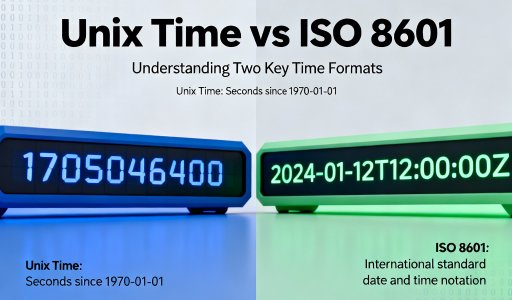
To clear up confusion, the International Organization for Standardization (ISO) created ISO 8601. This standard is used around the world and is easy for both people and computers to read.
The main idea is to list the time from the biggest to the smallest unit: YYYY-MM-DDTHH:MM:SS.
YYYY-MM-DD : Indicates the year, month, and day.
T : This character separates the date and time.
HH:MM:SS : Indicates hours (24-hour format), minutes, and seconds.
For example, 3:45 PM on February 13, 2026, would be written as “2026-02-13T15:45:00”.
DD/MM/YYYY format
Many countries, especially in Europe, Asia, and Africa, use the DD/MM/YYYY format. In this style, the day comes first, followed by the month and year. For example, February 14, 2026, is written as “14/02/2026.” This format highlights the day, which is helpful for daily conversations and documents where the exact date matters most.
MM/DD/YYYY Format
In the United States, people usually write dates as month/day/year or MM/DD/YYYY. For example, February 13, 2026, would be written as 02/13/2026. This format can be confusing for those used to other systems, as it is not always clear which number represents the month and which the day. Still, this way of writing dates is a long-standing part of American culture and official documents.
RFC 3339: The Language of the Internet
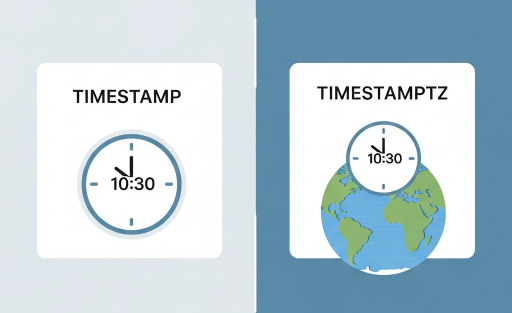
If you are a developer or work with APIs, RFC 3339 is a key standard to know. It is a stricter version of ISO 8601 and is great for computer systems that need exact times. Many internet protocols and apps use this format. RFC 3339 also requires every timestamp to include a time zone, which is where the idea of an “offset” comes in.
Key to clarity: What is a UTC offset?
A time offset is the difference in hours and minutes between your local time zone and Coordinated Universal Time (UTC), which is the main time standard used worldwide.
You can think of UTC as the zero point. All other time zones are either ahead of it (using a plus sign) or behind it (using a minus sign).
A minus sign means the time zone is behind UTC, like in the Americas. A plus sign means the time zone is ahead of UTC, like in Asia or Europe.
For example, “2026-02-13T10:00:00-05:00” means 10:00 AM in a time zone that is 5 hours behind UTC (such as Eastern Standard Time in New York).
When the time is in UTC, it is often indicated as “Z” (short for “Zulu time”), e.g., “2026-02-13T15:00:00Z”.
Time for Computers: Unix Time
In comIn computing, it is often easier to show time as a single large number. That is what Unix time, also called epoch time, does. format is very useful for developers working with timestamps across various programming languages, databases, and software. To find the time between two events, simply subtract one number from the other. Unix time is behind many of the timestamps you see on computers.
Technical and historical formats
ISO 8601 and RFC 3339 are the main modern standards, but there are other formats too.
Julian Day (JD) : Used primarily by astronomers, it is the number of consecutive days since January 1, 4713 BC.
RFC 822/5322 : This is the older format you might see in email headers, such as “Sun, 06 Nov 94 08:49:37 GMT”. It is less accurate and has been largely replaced by RFC 3339.
In short Words
In our busy world, it is important to use a clear and simple time format. The 24-hour clock is best for daily use. For technical or international needs, RFC 3339 or ISO 8601 are good options. Adding a UTC offset helps everyone know exactly what time you mean.