Unix Timestamp Converter and Generator – Current Epoch Time
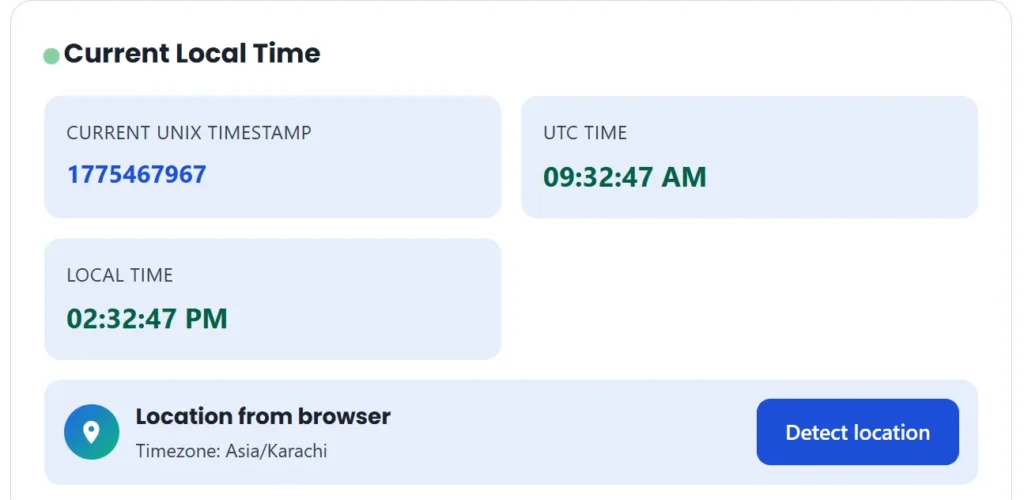
Instantly converts epoch time to a human-readable date.
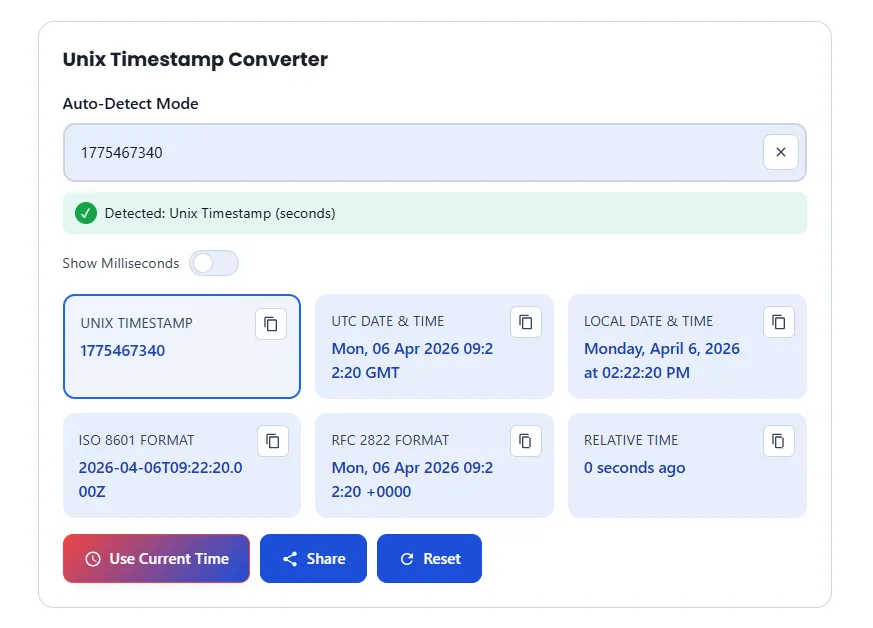
No more guessing timestamps. Whether debugging server logs, processing API responses, or database entries, our Unix Epoch Converter delivers ultra-fast and accurate results. Convert 10-digit (seconds), 13-digit (milliseconds), or 19-digit (nanoseconds) strings to readable UTC and local time formats without delay.
Convert Your Timestamp Now
[ Input Field: Enter Unix Timestamp (e.g., 1712354853) ]
- Auto-Detection: Automatically identifies seconds, milliseconds, and microseconds.
- Real-time Conversion: No page refreshes.
- Local & UTC: Displays the exact time in your current time zone and Coordinated Universal Time (UTC).
What is a Unix Timestamp? The Developer’s Universal Clock
A Unix timestamp (also known as epoch time, POSIX time, or Unix second) is a system for representing a specific point in time. It is defined as the number of seconds elapsed since the Unix epoch.
The Unix Epoch: January 1, 1970
The “epoch” is the starting point of Unix time, which is January 1, 1970, 00:00:00 UTC.
- Before the Epoch: Dates prior to 1970 are represented by negative numbers.
- After the Epoch: The counter increases by 1 every second that passes from that point onward.
Why Do We Use Unix Time?
Unlike human-readable dates (eg, Tuesday, April 5, 2026), Unix timestamps are timezone-independent and easy for computers to process. Using a single integer prevents “time drift” and simplifies the following:
- Database indexing: Sorting by numbers is faster than sorting by strings.
- API consistency: Time can be standardized across servers distributed worldwide.
- Time calculation: Calculating the difference between two events is as simple as basic subtraction.
Valid in Errors
Standard Unix timestamps are 10 digits (seconds), but modern applications often require higher precision.
- Milliseconds (13 digits): Commonly used in Javascript (Date.now()) and Java.
- Microseconds (16 digits): Used for high-frequency logging.
- Nanoseconds (19 digits): Essential for scientific computing and high-speed trading.
How to Convert Unix Timestamps to Human-Readable Dates
To convert complex strings of numbers into an easy-to-read format like Sunday, April 5, 2026, our tool is the perfect solution. Follow these simple steps to convert your data in seconds.
Step 1: Paste Your Unix Code
Copy the numerical timestamp from the server log, database, or API response and paste it into the input field at the top of this page. This tool supports the following units::
- Seconds (10 digits)
- Milliseconds (13 digits)
- Microseconds (16 digits)
- Nanoseconds (19 digits)
Step 2: Instant Auto-Detection
You don’t need to select the precision level manually. Our smart algorithm auto-detects the format based on the digit count. Whether your code is 1712354853 or 1712354853000, we provide the correct time instantly.
Step 3: Read Your Results
Once pasted, the tool displays the conversion in three essential formats:
- Your Local Time: Based on your browser’s current timezone.
- UTC (GMT): The global standard for servers and developers.
- Relative Time: (e.g., “5 minutes ago” or “in 2 days”) to give you instant context.
Step 4: Copy to Clipboard
Click the “Copy” icon next to any format (ISO 8601, RFC 2822, or plain text) to quickly paste it back into your code or documentation.
Why Choose TimestampConverter.app?
Not all epoch converters are created equal. We’ve built a developer-centric environment that focuses on three pillars: Speed, Precision, and Privacy.
High-Precision Auto-Detection
Stop worrying about whether your timestamp is in seconds, milliseconds, or nanoseconds. Our algorithm identifies the length of your input string (10, 13, 16, or 19 digits) and applies the correct math instantly.
100% Client-Side Privacy
Unlike other tools that send your data to a server, TimestampConverter.app processes everything directly in your browser.
- Security: Your sensitive database logs never leave your machine.
- Speed: No server round-trips mean the conversion happens in milliseconds.
Bidirectional Conversion
Need to go the other way? Our tool isn’t just a reader; it’s a generator.
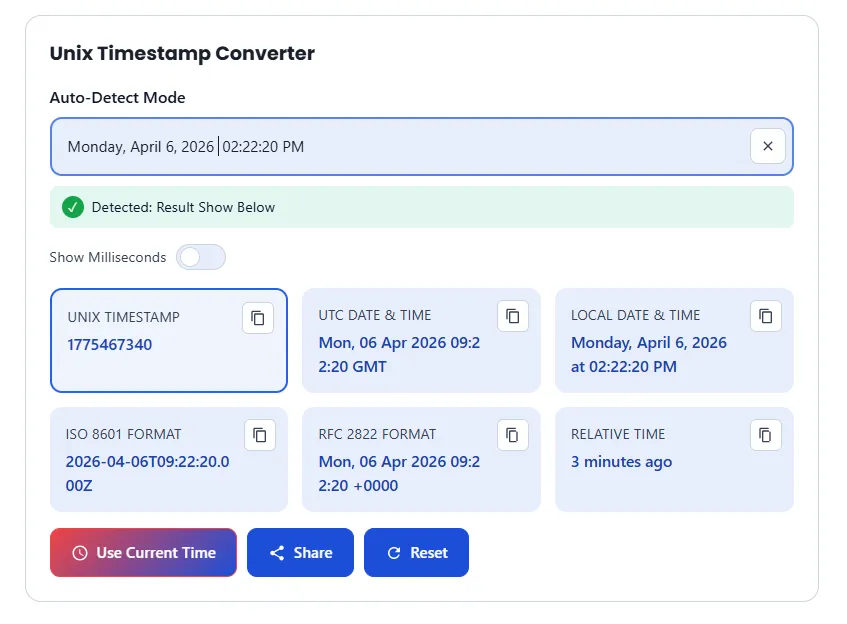
- Date to Timestamp: Select a date and time from our calendar picker to get the exact Unix integer.
- Standardized Output: Get results in ISO 8601 (e.g., 2026-04-05T20:44:33Z), RFC 2822, and plain text.
Responsive & Mobile-Optimized
Whether you are at your dual-monitor workstation or debugging on a phone in the server room, our interface scales perfectly. It is lightweight, ad-optimized (for a clean experience), and built for Core Web Vitals performance.
Understanding Time Formats: UTC, ISO 8601, and Your Local Time
When working with APIs or databases, you often encounter more than just a string of numbers. Understanding these formats is essential for data integrity and global synchronization.
UTC (Coordinated Universal Time)
UTC is the primary time standard by which the world regulates clocks and time. Unlike Unix time (which is an integer), UTC is a date-time representation.
- Fact: Unix time is almost identical to UTC, but it does not account for leap seconds in the same way.
- Developer Tip: Always store your data in UTC to avoid headaches with Daylight Saving Time (DST) changes.
ISO 8601: The Global Standard
The ISO 8601 format (e.g., 2026-04-05T20:44:33Z) is the internationally accepted way to represent dates and times.
- Structure: It follows a YYYY-MM-DDTHH:MM:SSZ pattern.
- The “Z”: The ‘Z’ at the end stands for “Zulu time,” which is another name for UTC (Zero offset).
- Why it matters: It is human-readable yet strictly structured for machine parsing, making it the default for JSON APIs.
Local Time and Timezone Offsets
Local time is UTC plus or minus a specific offset (e.g., UTC+5 or UTC-8). Our tool automatically detects your Browser Timezone to show you exactly when an event occurred in your own clock, while also providing the RFC 2822 format (e.g., Sun, 05 Apr 2026 20:44:33 +0000) often used in email headers.
How to Get the Current Unix Timestamp in Your Code
Need to generate a timestamp programmatically? Whether you are working on a backend API or a frontend script, here are the standard snippets to fetch the current Unix Epoch (in seconds or milliseconds).
// Seconds
const seconds = Math.floor(Date.now() / 1000);

// Milliseconds
const milliseconds = Date.now();
import time

# Seconds (float)
ts = time.time()

# Integer seconds
timestamp = int(time.time())
// Current Unix timestamp
$timestamp = time();
// Current time in milliseconds
long timestamp = System.currentTimeMillis();

// Seconds (Instant)
long seconds = java.time.Instant.now().getEpochSecond();
import "time"

// Seconds
timestamp := time.Now().Unix()

// Nanoseconds
nanos := time.Now().UnixNano()
SQL (MySQL & PostgreSQL)
- MySQL:
SELECT UNIX_TIMESTAMP(); - PostgreSQL:
SELECT extract(epoch from now());
What is the “Year 2038 Problem” (Y2K38)?
The 2038 problem is a critical bug affecting 32-bit systems that store Unix time as signed integers. At 3:14:07 AM UTC on January 19, 2038, the timestamp will exceed the maximum value for a 32-bit integer and “wrap around” to a negative number (1901). Modern 64-bit systems solve this problem because they can store timestamps for billions of years.
Is Unix time the same as Epoch time?
Yes, in most cases they are the same. Unix time refers to the number of seconds since the Unix epoch (January 1, 1970). While “epoch” can technically refer to any starting point, in the world of programming, it almost always refers to the Unix standard.
Does Unix time account for Leap Seconds?
No. Unix time ignores leap seconds to maintain a simple linear count. In Unix time, a day is exactly 86,400 seconds. When a leap second occurs, Unix clocks either repeat a second or skip a second. Therefore, high-precision systems use NTP (Network Time Protocol) to synchronize their time.
How many digits are in a Unix timestamp?
- Seconds: 10 digits (e.g., 1712354853)
- Milliseconds: 13 digits (e.g., 1712354853000)
- Microseconds: 16 digits
- Nanoseconds: 19 digits
Is Unix time affected by Timezones?
No. Unix time is always based on UTC (Coordinated Universal Time). It is the same number everywhere on Earth at any given moment. Timezones are only applied when you convert that number into a human-readable string.
Real-World Applications: When to Use a Unix Converter
Unix timestamps are the backbone of modern computing. While computers love them, humans need a way to interpret them during development and debugging. Here are the most common scenarios where TimestampConverter.app becomes your go-to utility.
1. Debugging Server & Application Logs
Most backend frameworks (like Node.js, Go, or Ruby on Rails) record errors and events using Unix Epoch time. If your log shows an error at 1712354853, you need an instant conversion to know exactly when your server crashed in your local timezone.
2. Decoding JSON Web Tokens (JWT)
Security tokens like JWTs use the exp (expiration) and iat (issued at) claims to manage session security. These are always stored as Unix integers. Developers use our converter to verify if a token is still valid or to troubleshoot authentication timeouts.
3. Database Management (SQL & NoSQL)
Databases like MongoDB, PostgreSQL, and MySQL often store time-series data as integers for faster indexing. When running a manual query to inspect a record, you’ll likely see a 10 or 13-digit number. Our tool helps you verify that the data entry matches the intended real-world date.
4. API Integration & Webhooks
When integrating third-party APIs (like Stripe, Shopify, or Twitter), timestamps are the standard way to communicate event times. Using our converter ensures that your application is interpreting the external data correctly before you write your parsing logic.
5. Scheduling Cron Jobs
Setting up automated tasks? Cron jobs and scheduled triggers often rely on Unix time to execute precisely. Our “Date to Timestamp” feature allows you to pick a future date and get the exact integer you need for your configuration files.
Secure, Private, and High-Performance Time Conversion
At TimestampConverter.app, we believe that developer tools should be more than just functional—they should be safe and lightning-fast. Here is how we prioritize your workflow and data integrity.
100% Client-Side Privacy: Your Data Stays Yours
Unlike many online utilities, our Unix Epoch Converter does not send your data to any external server. All calculations happen directly within your web browser using JavaScript.
- No Data Logging: We do not store, track, or log the timestamps you convert.
- Security First: This makes our tool safe for converting sensitive production database logs or private API timestamps.
Optimized for Core Web Vitals
Speed is a ranking factor. We have built this tool to be incredibly lightweight, ensuring it loads in under a second.
- Zero Bloat: No heavy libraries or unnecessary scripts that slow down your browser.
- Instant Response: Because the conversion is local, the result appears the moment you stop typing—no “Loading…” spinners.
Offline-Ready Capability
Since our logic is browser-based, once the page is loaded, it can even work offline. This is perfect for developers working in secure environments or on-the-go with spotty connectivity.
If you have any query or concerns feel free to contact us.